Teleprompter app for Mac
Your invisible cue card for video calls
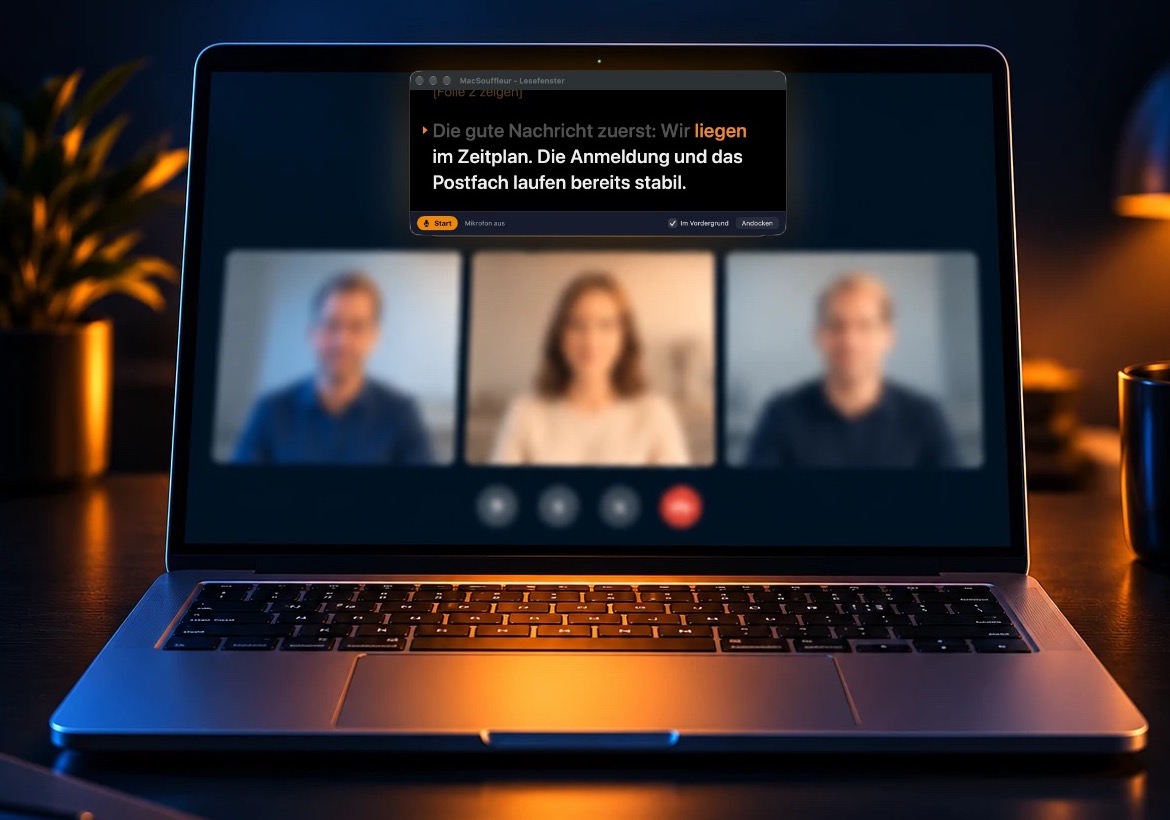
MacSouffleur puts your script right below your Mac’s camera, so you can present on Zoom, Teams and other video meeting platforms without looking away. The script follows your voice and pauses whenever you go off-script. Nobody else can see it, even when you share your screen.
Free for 7 days with up to 3 scripts, no sign-up needed. Then €49.90. One-time purchase, no subscription.
For Macs with Apple silicon running macOS 14 or later.
“Very easy to use. Responds very well to my voice.”
Why reading from notes gives you away in meetings
Most of us prepare talks with bullet points, jotted on paper, open in another window or on the phone. That works fine until you’re on a video call. Then there are three catches:
Everyone can tell you’re reading
With your notes next to the keyboard, your eyes keep drifting away from the camera. On a video call, people notice right away, even if it’s only a quick glance.
A question throws you off track
Someone asks a question, you answer on the spot, and then you’re hunting through your notes for where you were. Meanwhile, there’s an awkward silence.
Share your screen, and everyone sees your notes
Share your whole screen instead of a single window, and the document with your notes is right there for everyone to see. This happens faster than you think, and it doesn’t look professional.
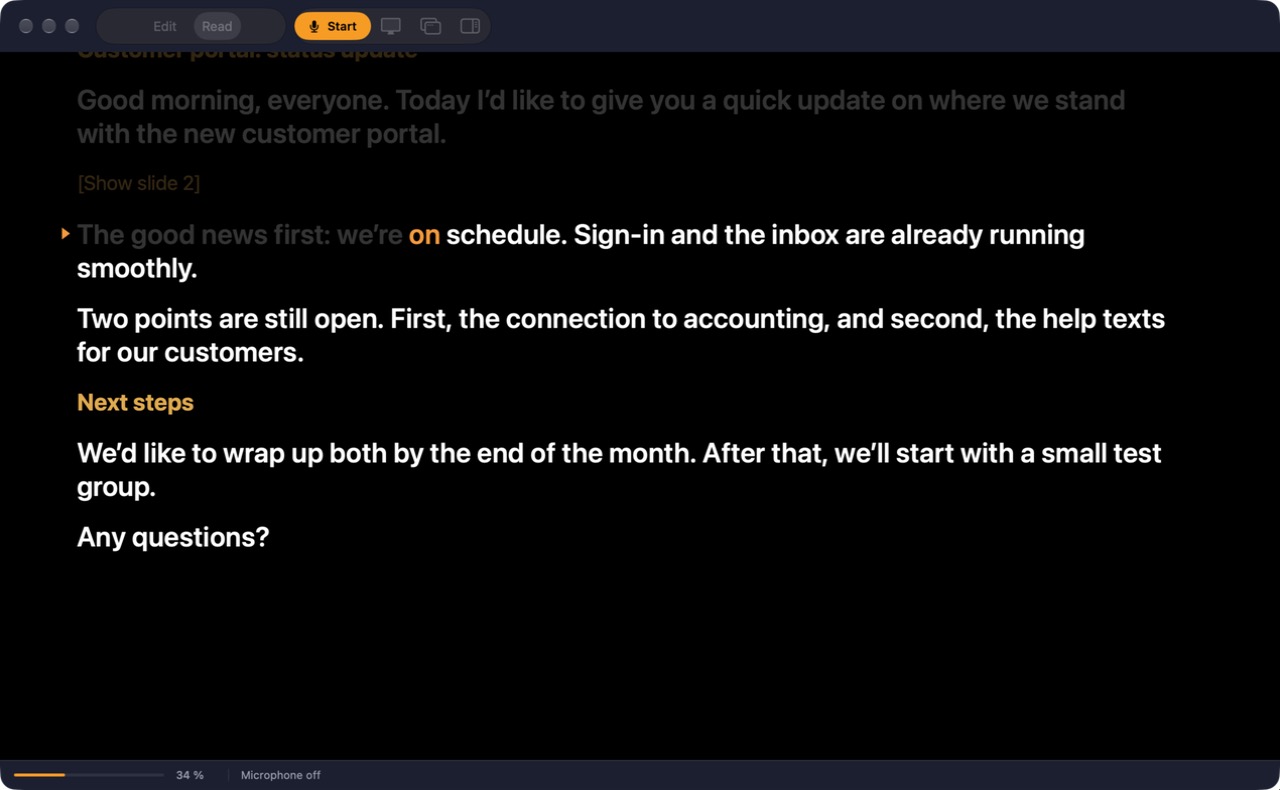
No teleprompter hardware needed
I originally designed MacSouffleur for use with a teleprompter rig, but you don’t need one to use the app. Your MacBook’s built-in camera or a webcam on your monitor is all it takes.
Simply drag the MacSouffleur reading window to the top center of your screen, right under your camera. This position allows you to look almost straight into the lens while reading, rather than down at your notes.
Are you recording videos with a teleprompter that has its own display connected to your Mac, like the Elgato Prompter? MacSouffleur and its reliable speech recognition are a perfect fit. It shows your text full screen on the prompter and allows you to add margins on the sides, top, and bottom, so your eye movements won’t be visible on camera.
How MacSouffleur works
Paste your script
Copy your script from Word, Google Docs or ChatGPT and paste it into the app. Headings, bold text and italics are preserved. Markdown files work too.
Put the reading window under your camera
Detach the reading window, resize it however you like, and move it right below your webcam. It stays on top of every other window, including your presentation, and only you can see it.
Start talking
Hit Start to turn on speech recognition. As soon as you start speaking, the text will scroll along at your pace. Pause, and it waits for you.
See MacSouffleur in action
This video shows how MacSouffleur works in practice.
Video coming soon: MacSouffleur in a real recording
Privacy
MacSouffleur uses Apple’s speech recognition that is built into your Mac. By default, your audio never leaves your device.
What MacSouffleur can do
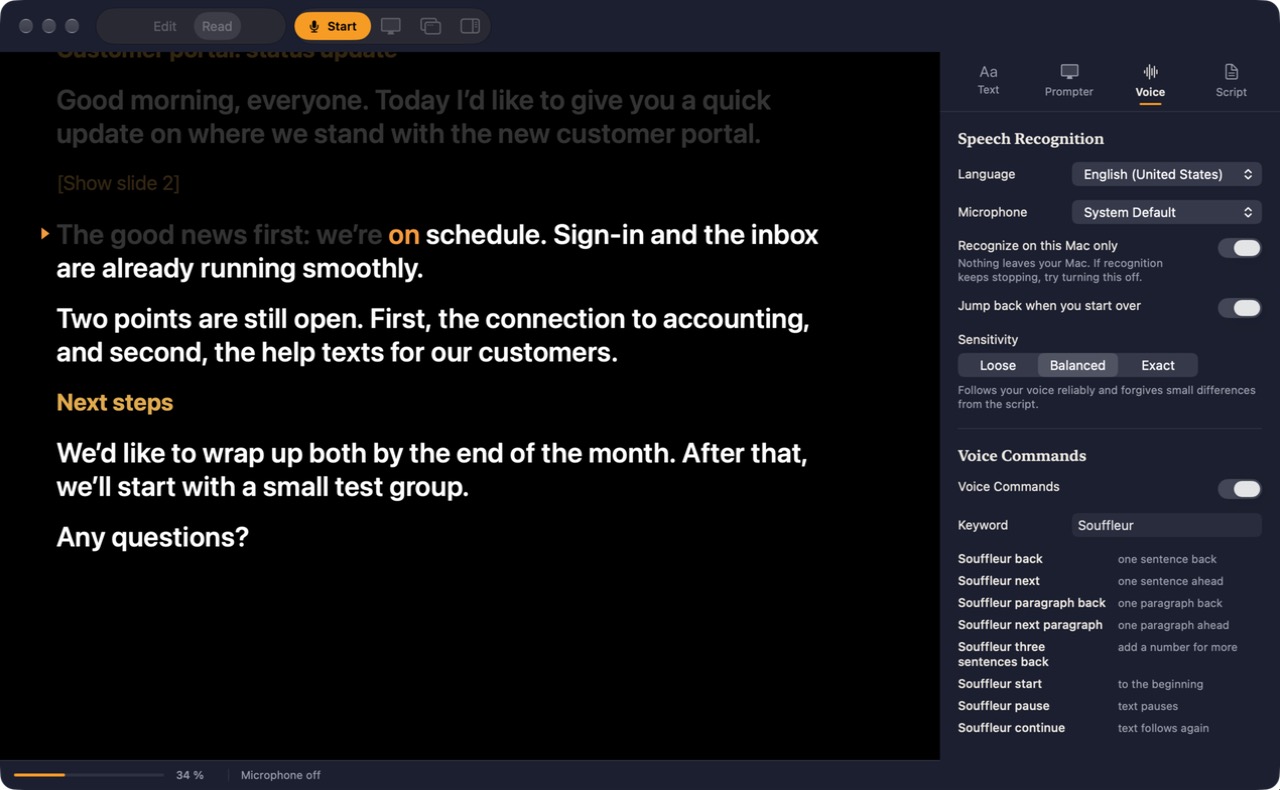
Invisible to everyone else
MacSouffleur doesn’t show up in screenshots, screen recordings or shared screens. Only you can see it – the perfect cue card for video calls!
Go off-script anytime
Wander off your script, say to answer a question, and the text simply waits. As soon as you resume your script, it carries on from the right spot.
3 sensitivity levels for script tracking
Sticking closely to your script? Choose “Exact”. Prefer to speak more freely? “Loose” is the way to go. “Balanced” sits in between and is the default.
Navigate with your voice
For video recordings: say commands like “[keyword] three sentences back” or “[keyword] start” to move through your script without touching your mouse or keyboard. You can freely choose the keyword.
Stage directions
Use [square brackets] to leave yourself stage directions, like a reminder to pause for effect or make a gesture at a certain point. They appear on the screen, but you don’t need to read them out loud for the script to continue.
Fixed speed
For video recordings: Prefer to work without speech recognition? Let the script scroll at a steady pace, at a speed you choose.
What testers say about MacSouffleur
“Better than any app I’ve tested before (and there were quite a few)! Because I couldn’t find good software, my teleprompter sat unused in the cupboard for almost a year. Now I’m going to use it.”
“I tried the app in a conversation and was thrilled that the text calmly stayed put when the conversation suddenly took a different turn [...]. Great for my seminars at university.”
“Very easy to use. Responds very well to my voice.”
“MacSouffleur is super easy to use and self-explanatory. [...] even when I talk fast, the text follows accurately.”
“Speech recognition even with a dialect. Very clean interface.”
“Better than any app I’ve tested before (and there were quite a few)! Because I couldn’t find good software, my teleprompter sat unused in the cupboard for almost a year. Now I’m going to use it.”
“MacSouffleur is super easy to use and self-explanatory. [...] even when I talk fast, the text follows accurately.”
“I tried the app in a conversation and was thrilled that the text calmly stayed put when the conversation suddenly took a different turn [...]. Great for my seminars at university.”
“Speech recognition even with a dialect. Very clean interface.”
“Very easy to use. Responds very well to my voice.”
Good to know before you buy
MacSouffleur doesn’t record your meetings. Its speech recognition only matches what you say to your script.
The app runs only on Macs with Apple silicon (M1 or later) and macOS 14 Sonoma or later. It’s not currently available for Intel Macs, Windows, iPhone or iPad.
Everything stays on your Mac
No account needed. Your scripts stay on your Mac, and by default, recordings of your voice never leave it.
Once a day, the app checks your license code by sending an encrypted device ID, your Mac’s name, and the code to my server.

Price
€49.90
One-time purchase. No subscription
- One license for up to three of your own Macs
- New Mac? You decide which Macs use your license
- Guide included as a PDF, in English and German
- License code and download link arrive by email right after purchase
- Compatibility updates until September 2027
Want to try it first? The free trial gives you 7 days with up to 3 scripts. If you like it, just grab your personal license code.
Frequently asked questions
No. For video calls, your Mac’s built-in camera or a webcam is all you need. Just place the reading window right below it on your screen. If you record videos with a teleprompter that has its own display connected to your Mac, like the Elgato Prompter, MacSouffleur is the perfect software for it.
Yes. Download MacSouffleur for free and try it for 7 days with up to 3 scripts. If you like it, buy a license code and enter it in the app. No need to download it again.
MacSouffleur runs on any Mac with Apple silicon (M1 or later) and macOS 14 Sonoma or later. To check, open System Settings, then General > About. If you see “Chip Apple M…”, you’re good to go.
No. By default, MacSouffleur tells macOS to hide the window from screen sharing, screenshots and recordings. Tested with Zoom, Microsoft Teams and Google Meet. You can make it visible in the settings if you want to.
Not for speech recognition, which runs right on your Mac. You do need one to activate your license and for the daily license check. Without a connection, the app keeps working for 7 days.
One license code covers up to three of your own Macs. Got a new Mac? Just swap out the old one yourself in the app.
The script simply waits for you and carries on once you return to your text. You can choose from three levels how closely it follows your voice.
Every language macOS speech recognition supports. English and German have been tested.
No, MacSouffleur is Mac-only.
Yes. The app uses your Mac’s language, English or German, and the guide comes in both.
Yes, you’ll get compatibility updates until September 2027. When a new version is out, I’ll email you, and MacSouffleur will let you know when you open it.
Try MacSouffleur free for 7 days
No sign-up, up to 3 scripts. Then €49.90 once for up to three Macs.